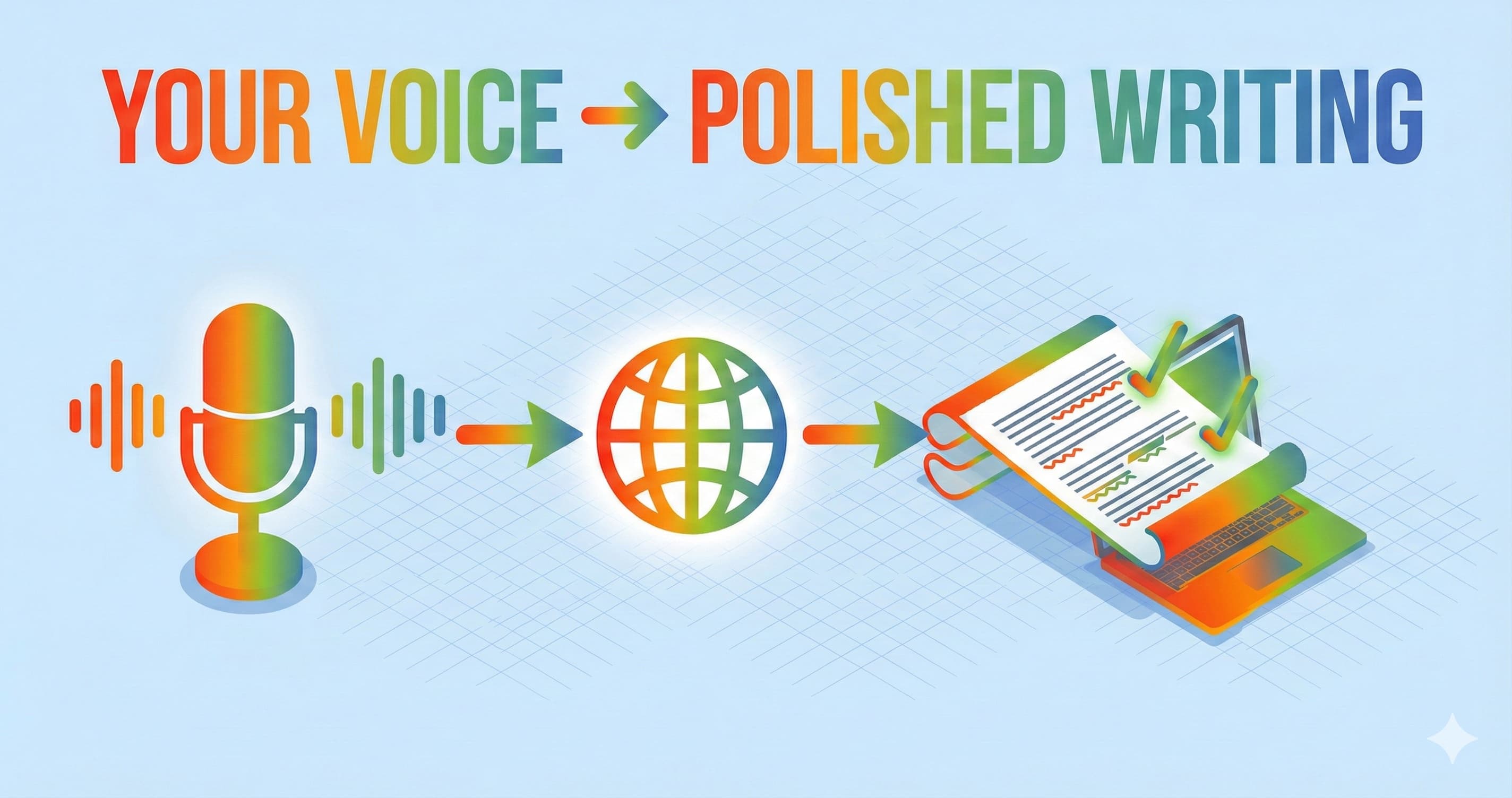


Tu as des idées plus vite que tu ne peux les taper. Ce brief client que tu as en tête, ces notes de réunion qu’il faut capturer, cette proposition qui aurait dû partir hier… tout se retrouve bloqué par tes doigts sur le clavier. La technologie speech to text change complètement la donne. Au lieu de transformer tes pensées en frappe, tu parles simplement, et l’IA convertit tes mots en texte prêt à être corrigé, traduit et envoyé.
Ce guide s’adresse aux professionnels, aux équipes, et à toutes celles et ceux qui veulent gagner en productivité et mieux communiquer grâce au speech to text. Bien maîtrisé, il permet de gagner du temps, de réduire la fatigue et de faciliter la collaboration multilingue.
On va voir comment fonctionne le speech to text, quelles fonctionnalités comptent vraiment pour un usage pro, et comment des outils comme ParrotKey combinent dictée vocale, traduction instantanée et correction grammaticale pour transformer des idées exprimées à l’oral en documents soignés, prêts à être partagés avec des clients, dans plus de 50 langues parmi les plus utilisées.
Qu’est-ce que le speech to text ?
Le speech to text est un logiciel qui convertit la parole en texte écrit, soit en temps réel pendant que tu parles, soit à partir de fichiers audio enregistrés. Concrètement, la technologie écoute ta voix, analyse les sons, puis produit un texte que tu peux modifier, partager ou publier. Le speech to text permet de reconnaître et de transcrire la langue parlée en texte grâce au traitement informatique du langage.
Tu croiseras plusieurs termes proches qui désignent des concepts très liés :
- Speech to text : Terme générique pour la conversion de la parole en texte
- Voice to text : Même idée, souvent utilisée pour les applis mobiles
- Dictée : Le fait de parler pour produire du contenu écrit
- Reconnaissance vocale : La technologie sous-jacente qui identifie les mots prononcés
- Saisie vocale : La dictée en temps réel directement dans des champs de texte
Les systèmes modernes comme ParrotKey s’appuient sur de grands modèles d’IA entraînés sur des millions d’heures d’audio et de textes multilingues. On est très loin des outils de dictée rigides des années 1990, où il fallait parler… mot… par… mot. La reconnaissance vocale actuelle comprend le langage naturel, gère les accents et fonctionne dans plus de 50 langues parmi les plus courantes.
L’écart entre les anciens outils de dictée et les solutions IA dans le cloud est énorme. Les anciens systèmes fonctionnaient sur un seul appareil, dans une seule langue, avec un vocabulaire limité. Les technologies actuelles marchent dans toutes tes applications, s’appuient sur une puissance de calcul cloud bien plus importante et s’améliorent en continu à mesure que les modèles apprennent à partir de nouvelles données vocales.
Comment fonctionne le speech to text ? (Vue d’ensemble, sans jargon)
Le speech to text repose sur des modèles de machine learning qui passent par plusieurs étapes pour convertir la parole en texte. Les systèmes de traitement audio utilisent des modèles acoustiques pour découper l’audio en phonèmes, tandis que les modèles de langage prédisent la suite de mots la plus probable selon le contexte, la grammaire et la syntaxe.
Voici, en version simple, ce qui se passe entre le moment où tu parles et celui où le texte apparaît à l’écran.
Étape 1 : capturer l’audio
Ton micro capte les ondes sonores de ta voix et les transforme en signal numérique. La qualité du micro compte vraiment : plus l’audio est propre, plus la transcription sera fiable.
Étape 2 : découper les sons
Le système analyse ce signal numérique et identifie les sons élémentaires, appelés phonèmes. En anglais, il y en a environ 40 : ce sont les plus petites unités sonores qui permettent de distinguer un mot d’un autre. Le son "b" dans "bat" et le son "p" dans "pat" correspondent à deux phonèmes différents.
Étape 3 : associer les sons à des mots
C’est là que la reconnaissance vocale devient intéressante. L’IA relie ces phonèmes à des mots possibles. Mais les sons seuls ne suffisent pas. Pense à "weather" et "whether" : à l’oreille, c’est identique. Le système a besoin du contexte pour choisir le bon mot.
Étape 4 : appliquer le contexte linguistique
Les grands modèles de langage analysent les mots autour et la structure de la phrase pour déterminer l’interprétation la plus logique. "Check the weather forecast" versus "whether or not you agree" : avec le contexte, l’IA fait facilement le bon choix.
Étape 5 : ajouter ponctuation et mise en forme
Les systèmes modernes ne se contentent pas de transcrire l’audio : ils ajoutent automatiquement la ponctuation, repèrent les changements de paragraphe à partir des pauses et mettent le texte en forme pour qu’il soit utilisable tout de suite.
ParrotKey va encore plus loin en combinant reconnaissance vocale, traduction, correction grammaticale et amélioration du style dans un seul flux de travail. Tu parles dans ta langue maternelle, et ParrotKey peut transcrire, traduire et retravailler le texte pour un public précis, le tout en quelques secondes.
Les principaux avantages du speech to text pour les pros et les équipes
Pour la plupart des gens, parler est environ trois fois plus rapide que taper. Pour les travailleurs du savoir qui passent des heures chaque jour à produire du contenu écrit, cette différence se traduit directement par du temps récupéré et moins de fatigue.
Gains de productivité
- Rédige des contenus longs comme des rapports, propositions ou articles en parlant plutôt qu’en tapant
- Réduis la fatigue physique liée à un usage prolongé du clavier
- Traite plus vite tes e-mails et messages pendant les périodes chargées
Amélioration de la qualité
Quand tu tapes, tu as tendance à te corriger au milieu de la phrase, ce qui casse ton élan. Quand tu parles, les idées sortent plus naturellement. Beaucoup d’utilisateurs constatent que leurs brouillons dictés sont plus fluides et plus vivants : ils sonnent plus humain, tout simplement parce qu’ils viennent de la parole.
Tu fais aussi moins de fautes de frappe quand tu n’es pas sur un clavier, même s’il faut toujours relire pour corriger un mot mal reconnu de temps en temps.
Accessibilité
Le speech to text aide les personnes souffrant de troubles musculosquelettiques, de dyslexie, de déficience visuelle, ou de toute autre difficulté rendant l’usage du clavier compliqué. La reconnaissance vocale leur permet de produire du texte au même rythme que les autres.
Collaboration multilingue
C’est là que des outils comme ParrotKey font une vraie différence. Un consultant à Madrid peut dicter un résumé client en espagnol, puis le traduire et le peaufiner instantanément en anglais pour un partenaire aux États-Unis. Le contenu parlé devient un texte prêt à être envoyé au client dans la langue cible, sans passer par une étape de traduction séparée.
Exemples concrets :
- Un consultant pose l’ossature d’un rapport de 10 pages en 30 minutes de dictée au lieu de 2 heures de frappe
- Un dirigeant d’agence briefe un projet en espagnol et livre un document soigné en anglais
- Un chercheur capture des notes d’entretiens terrain et les transforme en synthèses structurées dans la journée
- Des professionnels de santé documentent les échanges avec les patients tout en gardant le contact visuel
Les fonctionnalités de speech to text qui comptent vraiment (et comment ParrotKey se compare)
Tous les outils de speech to text ne se valent pas. Au-delà de la promesse marketing de la "haute précision", voici ce qui compte vraiment quand tu compares les options.
Précision et robustesse
Les meilleurs systèmes gèrent les accents régionaux, le vocabulaire métier et les conditions d’enregistrement imparfaites. ParrotKey est optimisé pour les environnements de bureau, les appels téléphoniques et les usages mobiles où le bruit de fond fait partie du décor.
Les modèles modernes de deep learning entraînés sur des jeux de données audio variés atteignent plus de 95 % de précision sur une parole claire. Dans des conditions réelles, avec du bruit, attends-toi plutôt à 80-90 %, ce qui reste largement supérieur aux anciens systèmes.
Couverture linguistique
ParrotKey prend en charge la parole, la traduction et l’assistance à la rédaction dans plus de 50 langues et variantes. Et il ne s’agit pas seulement de reconnaissance : c’est tout le flux, de la parole au texte final soigné dans la langue cible.
Temps réel ou transcription de fichiers
- La dictée en temps réel est idéale pour écrire en direct, répondre à des e-mails ou prendre des notes, par exemple dicter une réponse au lieu de la taper
- La transcription de fichiers est plus adaptée au traitement d’audios enregistrés, par exemple importer un webinaire de 60 minutes pour obtenir sa transcription
Ponctuation et mise en forme automatiques
Une transcription brute sans ponctuation ne sert presque à rien. Cherche des systèmes capables d’ajouter automatiquement virgules, points, points d’interrogation et retours de paragraphe. Le texte généré par ParrotKey est mis en forme pour être utilisé immédiatement dans des rapports ou des e-mails.
Correction grammaticale et style
C’est là que ParrotKey se démarque. D’autres outils te donnent une transcription. ParrotKey transforme cette transcription en texte grammaticalement correct, prêt pour ton public. Tu peux choisir un ton formel pour un résumé juridique ou un ton plus convivial pour une mise à jour d’équipe.
Commandes vocales
Tu peux modifier ton texte en parlant. Des commandes comme "supprime la dernière phrase" ou "rends ça plus formel" permettent d’affiner le texte sans toucher au clavier. Cette possibilité de commandes vocales personnalisées te permet de rester dans ton élan.
Confidentialité et contrôle
Les outils gratuits de voice to text monétisent souvent tes données via la publicité ou un partage large avec des tiers. ParrotKey est un outil de productivité, pas une régie pub. Tu peux aussi opter pour une version qui tourne en local si tu préfères ne pas utiliser de modèles IA dans le cloud et tout garder sur ta propre machine.
ParrotKey speech to text : dictée vocale, traduction et édition au même endroit
ParrotKey ne se présente pas comme un simple outil de transcription, mais comme un véritable assistant d’écriture IA qui part de la voix et aboutit à un texte prêt à être publié.
Dictée vocale dans toutes tes applications
Parle au lieu de taper dans tes clients e-mail, CRM, Google Docs, outils de gestion de projet et partout où tu écris. ParrotKey s’intègre à ton flux de travail global, pas seulement à une zone de texte précise.
Traduction instantanée
Dicte dans ta langue maternelle. Obtiens en quelques secondes une version corrigée et traduite dans la langue cible. Un dirigeant français parle français et livre en anglais. Un ingénieur allemand documente en allemand et partage en espagnol avec l’équipe de Barcelone.
Correction de la grammaire et du ton
La dictée brute reste souvent approximative. L’IA de ParrotKey retravaille ton texte transcrit : elle corrige la grammaire, ajuste le ton et produit une version adaptée à ton audience. Un même paragraphe dicté peut devenir soit une communication formelle pour un comité de direction, soit un message détendu pour l’équipe.
Transformation de texte
- Résumer de longues notes dictées en synthèses exécutives
- Convertir des transcriptions de réunion brutes en comptes rendus à puces
- Transformer des appels téléphoniques en listes d’actions
- Faire passer un brainstorming un peu brouillon à un plan structuré
Collaboration d’équipe
Les agences et les équipes multilingues peuvent harmoniser le style et la terminologie dans toutes les langues. Des réglages partagés garantissent une voix cohérente, que les documents soient produits à Londres, Sao Paulo ou Tokyo.
Une tarification adaptée à ton modèle
- Free plan : teste ParrotKey et évalue le flux de travail
- Abonnement Pro : pour les gros utilisateurs qui dictent tous les jours
Essayer ParrotKey gratuitement
Les usages les plus courants du speech to text en 2026
L’adoption du speech to text s’est accélérée dans de nombreux secteurs. Voici comment de vrais professionnels utilisent ces outils au quotidien.
Réunions et appels
Transcris automatiquement des appels Zoom, Teams ou téléphoniques. Génère des comptes rendus sans effort. Extrais les actions à mener sans devoir revoir les enregistrements. La diarisation des locuteurs permet d’identifier qui a dit quoi quand plusieurs personnes interviennent.
Création de contenu
Les journalistes dictent leurs brouillons d’articles en marchant. Les créateurs YouTube parlent leurs scripts et leurs notes d’émission. Les blogueurs capturent leurs idées sur mobile puis les retravaillent plus tard. Le résultat peut aussi inclure des sous-titres localisés pour des vidéos destinées à un public international.
Travail client
Les consultants dictent propositions commerciales et statements of work dans leur langue maternelle, puis livrent des documents soignés dans la langue du client. Les dirigeants d’agence briefent leurs projets à l’oral et récupèrent une documentation structurée. C’est aussi une manière efficace de transcrire des appels vidéo en livrables concrets.
Éducation et recherche
Les étudiants prennent des notes de cours sans se laisser distancer. Les chercheurs transcrivent leurs entretiens terrain le jour même au lieu d’y passer des semaines plus tard. Les équipes académiques transforment le contenu oral en archives écrites consultables.
Secteurs réglementés
Les professionnels de santé documentent les échanges avec les patients par dictée, sans interrompre la prise en charge pour taper. Les secteurs juridique et financier utilisent aussi le speech to text, mais avec une exigence forte sur la sécurité et la gestion des données. Vérifie toujours les contraintes de conformité avant d’utiliser un service pour des informations sensibles.
Équipes à distance et hybrides
Les stand-ups et points d’équipe à l’oral deviennent des notes textuelles consultables. Les sessions de brainstorming se transforment en bases de connaissances écrites. La parole ne s’évapore plus : elle devient une mémoire d’entreprise facile à retrouver.
Speech to text en temps réel vs transcription d’enregistrements
Les outils modernes gèrent généralement à la fois la dictée en direct et le traitement par lot d’audios enregistrés. Savoir quand utiliser l’un ou l’autre rend ton flux de travail beaucoup plus efficace.
Dictée en temps réel
Tu parles, le texte apparaît immédiatement. À utiliser pour :
- Rédiger des e-mails et messages
- Capturer des idées au moment où elles viennent
- Faire de la saisie vocale dans n’importe quelle application de texte
Audio et vidéo enregistrés
Importe des fichiers audio issus de webinaires, podcasts ou appels clients. Le système les traite puis renvoie un texte transcrit que tu peux relire et modifier. Tu peux transcrire des fichiers vidéo de la même manière.
Quand choisir l’un ou l’autre
- Utilise le temps réel pour rédiger, répondre à des e-mails et capturer des idées spontanées
- Utilise la transcription de fichiers pour traiter des enregistrements d’entretiens ou de recherche
- Utilise le temps réel quand tu dois interagir immédiatement avec le texte
- Utilise la transcription de fichiers quand la précision compte plus que la vitesse et que tu peux relire ensuite
ParrotKey est surtout optimisé pour la dictée en direct et l’édition interactive. Si tu as déjà des transcriptions issues d’autres systèmes, tu peux coller ou importer ce texte dans ParrotKey et utiliser ses fonctions de traduction et de reformulation sur n’importe quel contenu écrit.
Speech to text multilingue et traduction
Les équipes internationales ont besoin d’un speech to text qui fonctionne dans plusieurs langues et sur plusieurs marchés. Dicter dans une langue et livrer dans une autre n’est plus un processus en plusieurs étapes nécessitant plusieurs outils.
Prise en charge des langues
ParrotKey prend en charge plus de 50 langues pour la reconnaissance et la traduction. Cela inclut les grandes langues du business comme l’anglais, l’espagnol, l’allemand, le français, le portugais, l’hindi, le japonais, le mandarin, l’arabe, et bien d’autres.
Flux de travail multilingues
Un consultant français dicte ses notes en français après un appel client. ParrotKey transcrit la parole, traduit en anglais et corrige la grammaire pour livrer un texte prêt à être partagé en quelques secondes au lieu de plusieurs heures.
Un product manager japonais documente des exigences produit en japonais, puis fournit instantanément la version anglaise à l’équipe d’ingénierie aux États-Unis.
Cohérence de la terminologie
Quand tu combines traduction et contrôle du style, ta voix de marque reste cohérente d’un document à l’autre, quelle que soit la langue source. Les termes techniques, noms de produits et formulations spécifiques sont traduits de façon homogène, pas au petit bonheur la chance.
Cas d’usage
- Des équipes commerciales internationales documentent les appels dans la langue locale et reportent dans la langue du siège
- Des équipes juridiques transfrontalières résument des procédures pour plusieurs juridictions
- Des équipes marketing multilingues créent des contenus à partir d’un seul briefing
- Une agence basée à Berlin livre des rapports clients en anglais, allemand et français à partir de réunions menées en allemand
- Une équipe fintech à Sao Paulo coordonne des opérations en portugais avec des investisseurs anglophones
Précision, adaptation et gestion du bruit
"Est-ce qu’il va comprendre mon accent ?" et "Et si la pièce est bruyante ?" sont les deux questions qui reviennent le plus souvent à propos de la reconnaissance vocale.
Accents et variantes régionales
Les modèles modernes entraînés sur des jeux de données mondiaux gèrent bien mieux les variations régionales que les anciens systèmes. Anglais britannique, américain, australien, indien : tout cela est reconnu avec précision. Même chose pour les variantes de l’espagnol (Espagne, Mexique, Argentine) et pour d’autres langues avec des différences régionales.
Vocabulaire métier
Les termes techniques, noms de marque et jargons sectoriels peuvent poser problème à n’importe quel système. Pour améliorer la précision :
- Corrige plusieurs fois les mots spécifiques mal reconnus (le système apprend)
- Prononce les termes techniques clairement et de manière cohérente
- Utilise des glossaires personnalisés quand cette option existe
Résistance au bruit
Un micro correct change vraiment la donne. Les micros USB conçus pour la voix sont abordables et améliorent nettement les résultats par rapport aux micros intégrés des ordinateurs portables. Cela dit, le moteur de ParrotKey gère bien le bruit de fond classique d’un bureau : pas besoin d’un studio d’enregistrement.
Conseils pratiques pour une meilleure précision
- Parle clairement à un rythme naturel, inutile d’accélérer
- Place le micro à 15 à 30 cm de ta bouche
- Évite de couvrir le micro avec la main
- Fais de courtes pauses entre les sections pour créer des paragraphes naturels
- Si tu dictes seul, évite que des conversations en arrière-plan se superposent à ta voix
Exemple avant / après
Sortie de dictée brute :
"we need to finalize the q3 projections by friday and make sure the berlin team has the german translation ready for the client call next week"
Version retravaillée par ParrotKey :
"We need to finalize the Q3 projections by Friday. Please ensure the Berlin team has the German translation ready for the client call next week."
La différence est claire : majuscules, ponctuation, structure de phrase, sans retouche manuelle.
Confidentialité, sécurité et contrôle des données
Beaucoup d’outils de dictée totalement gratuits se financent par la publicité et un partage large des données. Si tu dictes des propositions clients, de la stratégie interne ou des informations sensibles, ce point est loin d’être anodin.
L’approche de ParrotKey
ParrotKey est un outil de productivité, pas une plateforme publicitaire. Les textes et enregistrements des utilisateurs ne sont pas vendus à des tiers. Le modèle économique est simple : les utilisateurs paient le service via un abonnement ou un achat unique.
Stockage et accès
Les données sont traitées via une infrastructure cloud sécurisée. Rien n’est conservé dans le cloud : le résultat apparaît simplement dans tes applications.
Contrôles pour les équipes et les entreprises
Pour les équipes ayant des exigences de conformité, ParrotKey propose :
- Une séparation des espaces de travail entre les membres de l’équipe
- Des permissions utilisateurs et des contrôles d’accès
- Un dictionnaire partagé et une voix de marque commune
Points à vérifier avant de choisir
Avant d’utiliser un fournisseur de speech to text pour du contenu confidentiel, vérifie :
- Où les données sont-elles traitées et stockées ?
- Les données servent-elles à entraîner les modèles ou sont-elles vendues à des tiers ?
- Quelles politiques de conservation s’appliquent ?
- Peux-tu supprimer complètement tes données ?
Évite d’envoyer des identifiants de santé sensibles, des détails d’affaires juridiques ou des informations de comptes financiers à un service sans avoir confirmé qu’il respecte tes exigences de conformité.
Comment démarrer avec le speech to text dans ton quotidien
Voici une méthode simple, étape par étape, pour intégrer le speech to text à ta façon de travailler.
Étape 1 : choisis ton outil
Évalue les solutions selon la précision, la prise en charge des langues, la sécurité et le prix. Pour les professionnels multilingues qui ont besoin à la fois de dictée et d’assistance à la rédaction (pas seulement d’une transcription brute), ParrotKey est pensé pour ce type de flux de travail.
Étape 2 : configure ton micro
Si possible, utilise un micro USB externe. Même un micro de podcast à 30 $ fait une énorme différence par rapport au micro intégré d’un ordinateur portable. Sur n’importe quel système :
- Windows: Settings > Sound > Input
- macOS: System Preferences > Sound > Input
- Navigateur Chrome: autorise l’accès au micro quand ton application web le demande
Étape 3 : commence par de courtes sessions
Installe l’habitude avec des contenus sans enjeu majeur :
- Réponds à un e-mail à la voix au lieu de le taper
- Dicte un résumé de réunion
- Rédige un court rapport
Étape 4 : combine dictée et édition
Dicte un premier jet. Ensuite, utilise l’IA de ParrotKey pour traduire si besoin, corriger la grammaire et ajuster le ton. Ce flux en deux temps (parler librement, puis peaufiner intelligemment) est plus rapide que d’essayer de dicter parfaitement du premier coup.
Étape 5 : intègre-le à ta stack
Relie ton flux de speech to text aux outils que tu utilises déjà :
- Google Docs pour créer des documents
- Office 365 pour la communication pro
- Notion pour la gestion des connaissances
- Ton CRM pour les notes clients
- Tes outils de gestion de projet pour les mises à jour et stand-ups
Prêt à tester ? Crée un compte ParrotKey gratuit dès aujourd’hui et dicte ton prochain e-mail ou résumé client au lieu de le taper.
Choisir la bonne solution de speech to text (gratuite ou payante)
Tu as le choix entre les outils intégrés aux systèmes d’exploitation et des plateformes payantes spécialisées. Voici comment les évaluer.
Outils gratuits
Avantages :
- Aucun coût
- Fonctionnalités de dictée de base
- Disponibles immédiatement
Inconvénients :
- Prise en charge limitée des langues
- Protection de la vie privée plus faible (souvent financée par la publicité)
- Pas de traduction ni de correction grammaticale
- Moins précis avec les accents et les audios bruyants
SaaS payants
Avantages :
- Meilleure précision de transcription
- Fonctionnalités avancées (traduction, collaboration d’équipe)
- Politiques de confidentialité plus solides
- Accès prioritaire au support
- Amélioration continue grâce à des investissements R&D plus importants
Achat unique
ParrotKey propose une option rare : une licence à vie. Pour les indépendants ou petites équipes qui préfèrent un investissement ponctuel à un abonnement récurrent, tu peux posséder le logiciel une bonne fois pour toutes, sans frais mensuels. Avec cette licence permanente, tu fais tourner les modèles d’IA directement sur ta machine. Tout fonctionne entièrement hors ligne : pas besoin d’internet, même en mode avion. Tes données ne quittent jamais ton appareil.
Checklist d’évaluation
- Comment mes données sont-elles utilisées ? Détermine le niveau de risque sur la confidentialité
- Combien de langues sont prises en charge ? Impacte les flux multilingues
- Est-ce que l’outil s’intègre à mes logiciels ? Détermine la fluidité du travail
- Mon équipe peut-elle collaborer ? Essentiel pour les agences et les entreprises
- Quel est le vrai coût par utilisateur actif ? Important pour le budget
- L’outil corrige et améliore le texte, ou se contente-t-il de transcrire ? Toute la différence entre une sortie brute et un texte réellement exploitable
ParrotKey est particulièrement adapté aux professionnels qui écrivent dans plusieurs langues et ont besoin d’un flux complet, de la voix au texte final soigné, pas juste d’une transcription qu’il faut reprendre à la main.
L’avenir du speech to text et de l’écriture assistée par IA
La parole et l’écrit convergent. La frontière entre "parler" et "écrire" devient de plus en plus floue quand l’IA se charge de passer de l’un à l’autre.
IA multimodale
Les nouveaux usages permettent de parler, importer des fichiers, coller du texte et interagir avec des documents en alternant voix et texte. Tu demandes un résumé à l’oral ; le système traite des documents écrits et te répond en texte ou en audio.
Des assistants plus intelligents
Des outils comme ParrotKey comprendront de plus en plus l’intention, pas seulement les mots. "Résume ça pour mon client en Italie" devient une seule commande qui transcrit, extrait les points clés, traduit en italien et met le tout en forme correctement.
Adoption dans les secteurs
Entre 2020 et 2025, les plateformes d’écriture IA et de transcription sont passées du stade expérimental à celui d’outil indispensable dans le juridique, le conseil, les métiers créatifs et l’éducation. Les services de transcription humaine existent toujours pour des besoins très spécifiques, mais l’IA prend désormais en charge la majorité des transcriptions courantes.
C’est le bon moment pour s’y mettre
Les professionnels à l’aise avec les outils de speech to text auront un vrai avantage de productivité à mesure que ces usages deviendront la norme. Commencer maintenant permet de prendre les bons réflexes et de développer l’intuition nécessaire avant que l’interaction vocale ne devienne attendue partout.
Passe à l’étape suivante
Le speech to text n’est plus un gadget. C’est devenu un vrai outil professionnel. Combiné à la traduction et à l’assistance à la rédaction par IA, il change radicalement la vitesse à laquelle tu peux passer d’une idée à un document final propre et abouti.
ParrotKey réunit dictée vocale, traduction instantanée dans plus de 50 langues, correction grammaticale et amélioration du style dans un seul flux de travail. Que tu sois consultant en train de rédiger des propositions, dirigeant d’agence gérant des clients multilingues, ou cadre qui veut gagner du temps sur ses communications écrites, parler de tes idées et laisser l’IA faire le reste est désormais une option concrète.
Essaye ParrotKey gratuitement dès aujourd’hui et transforme ta prochaine idée, de simple pensée orale, en texte multilingue soigné en quelques minutes.

 Commencez gratuitement