

Nel 2026, la distanza tra parlare e scrivere bene si è quasi azzerata. La dettatura con riscrittura AI combina i moderni motori speech-to-text con i modelli linguistici per trasformare le tue parole in testi puliti, pronti da inviare. Niente più pagina bianca da fissare. Niente più ore perse a sistemare trascrizioni grezze.
In questa guida vediamo nel concreto come funziona la dettatura con riscrittura AI, quali funzioni contano davvero e come iniziare a usarla nel tuo flusso di lavoro già da oggi.
Cos'è la "dettatura e riscrittura AI" (e perché conta nel 2026?)
In pratica, il processo ha due fasi: parli in modo naturale al tuo dispositivo, l'AI trascrive quello che dici e poi un modello linguistico riscrive il testo sistemando grammatica, tono, struttura e, se serve, anche la traduzione. Il risultato? Un testo curato, intenzionale, scorrevole. Non qualcosa che sembra registrato al volo davanti a un microfono.
Perché oggi è più importante che mai?
- La tecnologia è diventata davvero matura. Dal 2022 in poi, i tassi di errore del riconoscimento vocale sono calati parecchio grazie a modelli come OpenAI Whisper, DeepGram Nova e i modelli vocali di Google del 2024. Quello che prima richiedeva dizione perfetta e silenzio assoluto oggi gestisce conversazioni naturali, accenti e rumore di fondo.
- Gli LLM fanno il lavoro di rifinitura. I modelli della classe GPT-4.1 non si limitano a correggere i refusi: riorganizzano pensieri confusi, inseriscono la punteggiatura giusta, adattano il tono e possono anche tradurre da una lingua all'altra nello stesso flusso.
- Risolve il problema del "parlato disordinato". Con la dettatura tradizionale dovevi parlare come se stessi già scrivendo. Con la dettatura e riscrittura AI moderna puoi ragionare ad alta voce, fermarti, ripartire, cambiare frase e ottenere comunque un testo pulito.
- L'adozione sta accelerando. All'inizio del 2026, i report mostrano un uso diffuso tra startup e aziende tech: sviluppatori e knowledge worker usano la voce come metodo di input principale per email, documentazione e perfino commenti nel codice.
- Il flusso è semplicissimo. Tu parli → l'AI trascrive → l'AI riscrive in base all'obiettivo. Un brain dump vocale di 3 minuti può diventare un'email ben fatta in meno di 30 secondi.
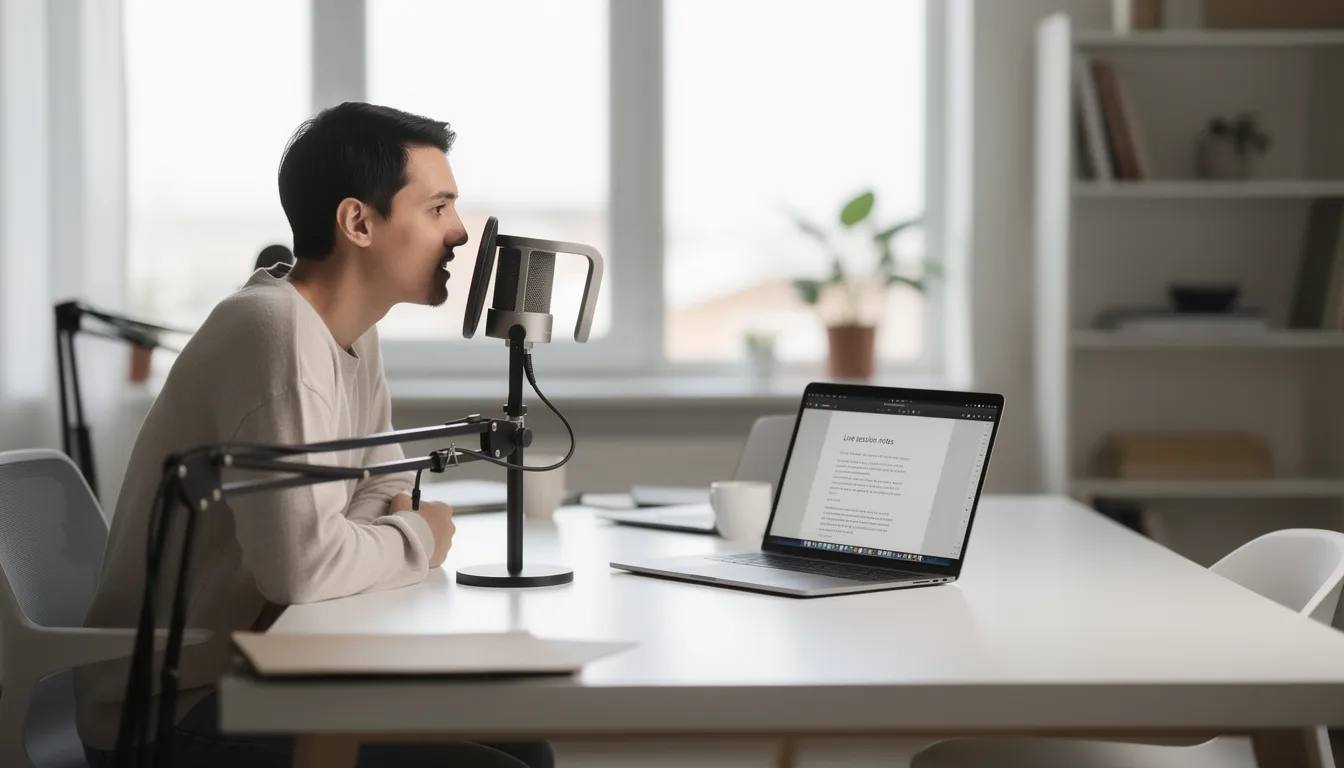
Come funziona la dettatura e riscrittura AI (dietro le quinte)
La pipeline è lineare: l'audio del microfono entra in un motore di riconoscimento vocale, che produce testo grezzo. Quel testo passa poi a un LLM per pulizia, formattazione ed eventuale traduzione o adattamento di stile. La vera magia sta in quanto bene questi livelli lavorano insieme.
Il livello di riconoscimento vocale si occupa della parte più pesante: trasformare l'audio in testo scritto. Tra i motori più usati troviamo:
- OpenAI Whisper (open-source, molto accurato in più lingue)
- Azure Speech e Google Cloud Speech (livello enterprise, con supporto alla trascrizione in tempo reale)
- I modelli on-device di Apple e Samsung per chi mette la privacy al primo posto
Nei benchmark puliti del 2025, il tasso di errore sulle parole si aggira in genere intorno al 5-10%, anche se cambia in base alla qualità audio e all'accento. Le migliori opzioni di app di dettatura ti permettono di testare l'accuratezza con la tua voce e nel tuo ambiente reale.
Il livello di riscrittura entra in gioco con modelli cloud come GPT-4.1, Claude 3.5 o Gemini 1.5. Questi modelli possono:
- Correggere automaticamente grammatica e punteggiatura
- Trasformare un parlato confuso in paragrafi coerenti
- Adattare il tono (professionale, informale, accademico)
- Riassumere o ampliare il contenuto quando serve
- Tradurre tra lingue diverse mantenendo il significato
Tempo reale o batch? Dipende da quello che devi fare. Lo streaming in tempo reale è perfetto per la dettatura live: parli e vedi comparire il testo subito. L'elaborazione batch, invece, è ideale per file audio o video caricati, come interviste o lezioni da 30-60 minuti, che vengono processati in pochi minuti anziché in tempo reale.
Anche la privacy cambia molto da strumento a strumento. Le soluzioni completamente cloud offrono in genere la massima accuratezza, ma inviano l'audio a server remoti. Le opzioni on-device (per esempio con implementazioni locali di Whisper o il riconoscimento vocale integrato di Apple) tengono i dati sul tuo mac o telefono, ma possono perdere qualcosa in precisione. Gli approcci ibridi elaborano la voce in locale e inviano solo il testo agli LLM per la riscrittura.
Punti tecnici chiave da tenere a mente:
- Gli ASR moderni gestiscono accenti, rumore e conversazioni naturali molto meglio degli strumenti del 2020
- Gli LLM distinguono tra ragionamento ad alta voce e formulazione finale
- I modelli offline esistono, ma di solito sono ancora un passo indietro rispetto al cloud in termini di accuratezza
- L'elaborazione richiede secondi, non minuti
Funzionalità chiave dei moderni strumenti di dettatura e riscrittura AI
Gli strumenti di dettatura e riscrittura AI vanno ben oltre il semplice riconoscimento vocale e mettono insieme più capacità in un unico flusso. Se stai cercando le migliori app, ecco cosa guardare davvero:
- Dettatura in tempo reale in qualsiasi app. Parli dentro Google Docs, Microsoft Word, Notion, client email e il testo compare subito. L'app funziona a livello di sistema, non solo dentro un singolo programma.
- Riscrittura AI su richiesta. Dopo aver dettato, puoi applicare correzioni grammaticali automatiche, accorciare o ampliare il contenuto e trasformare il parlato grezzo in paragrafi, elenchi puntati e titoli. È qui che le note vocali disordinate diventano documenti pronti all'uso. Se cerchi una soluzione più completa, dai un'occhiata a assistenza vocale basata sull'AI che gestisce dettatura, traduzione e revisione in modo fluido.
- Preset per il tono. Con un clic passi da "professionale" a "informale", "accademico", "commerciale" o "amichevole". Gli strumenti più evoluti, come Wispr Flow, permettono anche di creare istruzioni personalizzate in base al tuo stile di scrittura.
- Traduzione nello stesso flusso. Parli in spagnolo e ottieni un testo fluido in inglese senza cambiare strumento. L'AI gestisce insieme trascrizione e traduzione, rendendo il lavoro multilingue molto più semplice.
- Gestione di lingue miste. Se passi da una lingua all'altra mentre parli (inglese + cantonese, Spanglish), gli strumenti moderni riescono a riconoscere ed elaborare il parlato misto senza andare in crisi. Rispetto alle vecchie app di dettatura, è un salto enorme.
- Extra di workflow che fanno risparmiare tempo. Una scorciatoia da tastiera avvia la dettatura ovunque. I template formattano automaticamente note riunione o email. I riassunti automatici condensano dettature lunghe. Le risposte preimpostate velocizzano i messaggi ripetitivi.
- Vocabolario personalizzato. Puoi aggiungere nomi, termini tecnici e acronimi che l'AI impara nel tempo. Per i settori specialistici, questo cambia tutto in termini di accuratezza.
Strumenti come Wispr Flow si distinguono perché capiscono la punteggiatura in automatico, imparano il gergo del tuo lavoro e adattano il tono in base al contesto: informale per i DM su Slack, più formale per le email ai clienti, senza che tu debba specificarlo ogni volta.
Dettatura classica vs dettatura con riscrittura: qual è la vera differenza?
Gli strumenti classici di dettatura come Dragon, Apple Dictation o Windows Voice Access seguono un modello semplice: tu detti, loro trascrivono, poi sistemi tutto a mano. Il nuovo approccio con dettatura e riscrittura cambia proprio il modo di lavorare.
Ecco la differenza pratica:
- Vecchio modello: detti con attenzione, cercando di formulare frasi perfette. Lo strumento produce una trascrizione grezza piena di intercalari, pensieri a metà e senza formattazione. Poi perdi 10-20 minuti a sistemarla.
- Nuovo modello: parli in modo naturale, anche disordinato. Ragioni ad alta voce, fai pause, riparti. L'AI riorganizza tutto in un testo chiaro, sintetico e ben formattato, pronto da incollare o inviare. L'editing richiede 10-20 secondi.
Un esempio concreto, prima e dopo:
Quello che hai detto:
"Allora ehm, dopo la riunione con Sarah (anzi, è stata davvero produttiva) abbiamo deciso che dobbiamo finire il deck entro venerdì, John si occuperà della parte finanziaria, io farò l'introduzione e forse è il caso di coinvolgere anche il marketing prima di chiudere tutto."
Quello che produce la dettatura tradizionale:
Allora ehm dopo la riunione con Sarah anzi è stata davvero produttiva abbiamo deciso che dobbiamo finire il deck entro venerdì e John si occuperà della parte finanziaria e io farò l'introduzione e forse è il caso di coinvolgere anche il marketing prima di chiudere tutto
Quello che produce la dettatura con riscrittura AI:
Follow-up riunione con Sarah:
- Consegna deck: venerdì
- John: sezione finanziaria
- Io: introduzione
- Azione: coinvolgere il marketing prima della versione finale
L'AI capisce anche il contesto. Se dici "manda loro il deck", può intuire che ti riferisci alle slide della presentazione e riscrivere di conseguenza.
Chi ne trae più vantaggio:
- Chi ragiona meglio parlando che digitando
- Chi odia il blocco della pagina bianca
- Chi ha ADHD, dislessia o limitazioni fisiche che rendono difficile scrivere alla tastiera
- Professionisti che devono catturare idee al volo (in viaggio, mentre camminano, tra una riunione e l'altra)
Il processo di scrittura cambia completamente: da "devo costruire frasi perfette nella testa" a "parlo, poi l'AI mette ordine".
Casi d'uso principali: dove la dettatura e riscrittura AI fa risparmiare più tempo
Il valore più grande si vede nei flussi ripetitivi e ricchi di testo tipici del lavoro della conoscenza e della comunicazione. Ecco dove il risparmio di tempo è più evidente:
- Produttività e lavoro d'ufficio. Puoi dettare report, aggiornamenti di stato, brief di progetto e memo interni. Il flusso è questo: esponi le tue idee durante il tragitto, l'AI ti consegna un documento pulito quando arrivi. Funziona bene con Google Docs, Notion e altri strumenti di produttività.
- Note di riunione e follow-up. Registri o detti in diretta durante i meeting, poi generi automaticamente verbali, action item ed email di follow-up in pochi minuti. Niente più corsa a ricostruire chi ha detto cosa. L'AI trascrive e riformatta in un solo passaggio.
- Messaggi e risposte rapide. Dici una risposta al volo per Slack, Teams o WhatsApp e l'AI la trasforma in un messaggio conciso e cortese. Utilissimo soprattutto da mobile, quando scrivere è più lento.
- Creazione di contenuti. Puoi creare prime bozze per articoli di blog, post LinkedIn, caption social o note per podcast. Idee sparse diventano schemi ordinati. Se crei contenuti, il brainstorming smette di essere una fatica e diventa qualcosa che puoi fare anche mentre cammini.
- Coding e documentazione tecnica. Puoi documentare API, scrivere commit message, descrivere bug, spiegare decisioni sul codice usando la voce. L'AI formatta il linguaggio secondo le linee guida del team. Nella Silicon Valley molti sviluppatori ormai dettano documentazione per ore e rifiniscono solo alla fine con la tastiera.
- Comunicazione con clienti in più lingue. Parli nella tua lingua e invii risposte nella lingua del cliente mantenendo un tono coerente. Un commerciale può dettare in italiano e ottenere un aggiornamento CRM in inglese più un'email di follow-up in francese.
- Trascrizione di file per consultazione. Carichi audio di interviste, lezioni o consulenze. L'AI trascrive e struttura il contenuto in documenti utilizzabili, completi di titoli e riassunti.

Come scegliere uno strumento di dettatura e riscrittura AI (cosa guardare davvero)
Tra il 2024 e il 2026 il mercato si è riempito di soluzioni. I tool sono tanti, ma più del nome conta l'aderenza alle tue esigenze. Ecco cosa fa davvero la differenza:
- Accuratezza nel tuo ambiente reale. Punta ad almeno il 92% di accuratezza sulle parole nella tua lingua principale. Prova lo strumento con il tuo microfono, nella tua stanza e con il tuo modo di parlare. Bar rumorosi e accenti marcati mettono ancora in difficoltà alcune soluzioni più di altre.
- Supporto per piattaforme. Verifica che funzioni sul tuo sistema operativo (Windows 10/11, macOS Sonoma, iOS 18, Android 15) e che si integri con le app che usi ogni giorno: Microsoft Word, Google Docs, Chrome, Outlook, Slack. Alcuni tool funzionano solo in una finestrella, altri a livello di sistema.
- Qualità della riscrittura. Testa se l'AI adotta davvero il tuo tono e se sa gestire istruzioni composte come "accorcia, rendi formale, mantieni i numeri". Qui la differenza tra strumenti è notevole. E il supporto alle lingue per una buona riscrittura conta quanto l'accuratezza del riconoscimento.
- Gestione di lingue e varianti. Controlla che supporti sia il riconoscimento sia la riscrittura fluida nelle lingue che ti servono. Per il tedesco, ad esempio, distingue tra "Sie" e "du"? Per lo spagnolo, capisce le varianti regionali?
- Privacy e gestione dei dati. Devi sapere dove vengono elaborati audio e testo. Il fornitore conserva le registrazioni? I dati vengono usati per addestrare i modelli? Esistono data center in UE? Leggere la privacy policy non è un dettaglio: è il documento che ti dice cosa succede davvero alla tua voce.
- Prezzi. Confronta i limiti del piano gratuito, il costo al minuto (di solito $0.10-$0.20/min per trascrizioni premium) e i livelli di abbonamento. Molte app offrono prove da 7 a 14 giorni per testare le funzioni in anteprima.
- Accessibilità e controllo. Cerca hotkey personalizzabili, comandi hands-free e supporto per utenti con difficoltà motorie o visive. Sono dettagli che pesano molto nell'uso quotidiano.
Come iniziare con la dettatura e riscrittura AI (passo dopo passo)
Sui dispositivi moderni, la configurazione richiede in genere meno di 10 minuti. Un percorso pratico può essere questo:
- Passo 1: scegli uno strumento con piano gratuito o prova. Se usi più dispositivi, meglio ancora se è multipiattaforma. Scarica l'app e completa la configurazione base. Molti tool ti fanno iniziare subito, senza carta di credito.
- Passo 2: testa il microfono. Anche gli AirPods o i microfoni dei laptop moderni dal 2022 in poi sono di solito più che sufficienti per l'ufficio. Pronuncia una frase di prova e controlla l'accuratezza della trascrizione. Se serve, regola la posizione del microfono.
- Passo 3: imposta lingua e preferenze. Seleziona lingua principale, area dell'accento e preferenze di punteggiatura. Come tono predefinito, "professionale neutro" va bene nella maggior parte dei contesti di lavoro.
- Passo 4: impara la scorciatoia da tastiera principale. La maggior parte degli strumenti usa una hotkey globale (sullo stile di Ctrl+Shift+X) per avviare e fermare la dettatura ovunque. Provala nella tua app di scrittura principale. Sembra un dettaglio, ma sapere qual è la tua hotkey spesso determina se userai davvero lo strumento oppure no.
- Passo 5: prova con un'attività reale. Detta qualcosa che devi davvero scrivere: l'email di aggiornamento di domani, una risposta a un collega, gli appunti di una call. Poi applica un preset di riscrittura AI come "più breve, più formale, elenco puntato".
- Passo 6: rileggi e fai un ritocco leggero. Dopo la riscrittura AI, di solito bastano 10-20 secondi di controllo. Correggi eventuali nomi o numeri sfuggiti. È enormemente più veloce che ripulire una trascrizione grezza.
- Passo 7: salva i prompt migliori come template. Crea scorciatoie per le istruzioni che usi spesso: "riassumi questa riunione in 5 punti e 3 azioni" oppure "riscrivi come email amichevole ma professionale". Col tempo ti semplificheranno parecchio la vita.
L'obiettivo per la prima settimana? Dettare una vera attività al giorno. Entro il quinto giorno, il processo ti sembrerà già naturale.
Buone pratiche per una dettatura e una riscrittura AI di qualità
Piccole abitudini nel modo in cui parli e nell'ambiente in cui ti trovi influenzano tantissimo il risultato:
- Parla per pensieri completi, non a metà frase. Chiudi mentalmente il concetto e poi dillo. Così riduci le correzioni a metà periodo e dai all'AI un input più pulito.
- Usa parole guida semplici per la formattazione. Puoi dire "nuovo paragrafo", "elenco puntato" o "titolo" se il tuo strumento supporta comandi impliciti di formattazione. Molti tool moderni li riconoscono automaticamente.
- Detta con chiarezza nomi, numeri e termini tecnici. Alla prima occorrenza, fai lo spelling di nomi insoliti o acronimi: "SRE, cioè S-R-E". In questo modo il vocabolario personalizzato migliora nel tempo e l'accuratezza aumenta.
- Scegli bene l'ambiente. Se puoi, evita stanze con eco e bar rumorosi. Un home office tranquillo o una sala riunioni, con un laptop del 2023, di solito bastano. Spesso la differenza tra un audio buono e uno pessimo la fa la stanza, non il microfono.
- Sii esplicito nei prompt di riscrittura. Istruzioni vaghe portano a risultati vaghi. Invece di dire "miglioralo", prova con "email breve e cordiale" oppure "stile legale formale" o ancora "riassunto in 2 frasi più 3 punti elenco".
- Riutilizza i prompt che funzionano. Tieniti un piccolo promemoria con 3-5 istruzioni preferite per attività ricorrenti: aggiornamenti di stato, ticket di supporto, contatti con clienti. La coerenza fa risparmiare tempo.
- Allenati 5-10 minuti al giorno nella prima settimana. Molti utenti migliorano velocità e accuratezza semplicemente prendendo confidenza con il fatto di parlare al computer. La curva di apprendimento è breve, ma c'è.
Privacy, sicurezza e conformità: cosa valutare
Dal 2023 in poi, normative come GDPR, CCPA e regole settoriali come HIPAA hanno influenzato il modo in cui gli strumenti di dettatura AI trattano i dati. Ecco cosa conviene controllare:
- Capisci dove avviene l'elaborazione. Audio e testo possono essere processati sul dispositivo locale, nel cloud del fornitore o tramite provider LLM di terze parti. Se lavori in UE o UK, verifica le opzioni di residenza dei dati: alcuni vendor offrono data center europei.
- Controlla la policy di conservazione dei dati. Il provider registra o conserva il tuo audio? I dati vengono usati per addestrare i modelli? Cerca impostazioni chiare per l'opt-out. Gli strumenti seri ti danno controllo su questi aspetti.
- Nei settori regolamentati, pretendi documentazione. Ambiti legali, medici e finanziari richiedono Business Associate Agreements (BAA), Data Processing Agreements (DPA), crittografia a riposo e in transito, oltre a controlli di accesso. Non dare nulla per scontato: verifica.
- Per contenuti sensibili, valuta on-prem o private cloud. Tra il 2024 e il 2026 molte aziende hanno adottato deployment privati per riunioni del board, consulti con pazienti e altre registrazioni riservate. Se ti serve, queste opzioni esistono.
- Segui le regole base di igiene digitale. Blocca i dispositivi, usa autenticazione forte ed evita di dettare password o codici altamente riservati. Lo strumento è sicuro quanto lo è il tuo ecosistema digitale nel complesso.
- Coinvolgi presto IT e sicurezza. Prima di estendere strumenti di dettatura + riscrittura a un intero reparto, fatti dare l'ok da chi conosce davvero i requisiti di compliance della tua organizzazione.
Esempi reali: la dettatura e riscrittura AI in azione
Il modo migliore per capirne il valore è vedere scenari concreti con risparmi di tempo realistici:
- Product manager dopo una call con un cliente. Detta un briefing vocale di 10 minuti sul feedback ricevuto. L'AI produce un brief di una pagina più una lista puntata di ticket Jira in meno di 2 minuti. Prima servivano oltre 30 minuti di scrittura.
- Freelance writer in brainstorming. Registra 30 minuti di idee sparse sul telefono mentre cammina. L'AI trascrive il parlato e lo trasforma in una scaletta strutturata più una bozza da 500 parole. Il processo di scrittura parte dal pensiero, non dalla tastiera.
- Commerciale in Europa. Dopo un incontro con un cliente, detta note in italiano. L'AI le riscrive in un aggiornamento CRM in inglese e in un'email di follow-up in francese, mantenendo il tono giusto in entrambi i casi. Traduzione e riscrittura avvengono nello stesso flusso.
- Sviluppatore che documenta il codice. Detta commit message e release note mentre testa nuove funzionalità. L'AI li formatta secondo lo stile conventional commits del team. Molti sviluppatori riferiscono un risparmio di 10-15 minuti al giorno solo sulla documentazione.
- Ricercatore accademico in laboratorio. Registra riflessioni vocali dopo gli esperimenti. L'AI trascrive, riscrive in prosa chiara e segnala possibili sezioni per un futuro paper. Le note vocali diventano scrittura strutturata senza il lavoro manuale di formattazione.
Tendenze future: dove sta andando la dettatura e riscrittura AI
Tra il 2023 e il 2026 abbiamo visto un'evoluzione rapidissima: da curiosità tecnologica a strumento quotidiano di lavoro. Cosa aspettarsi fino al 2027 e oltre?
- Maggiore consapevolezza del contesto. AI capaci di capire quali finestre hai aperte, cosa c'è nel calendario e quali documenti hai sullo schermo. Se dici "il deck di ieri", sapranno a quale file ti riferisci.
- Modelli on-device più potenti. Apple, Qualcomm e Samsung stanno spingendo modelli locali di grandi dimensioni che permettono dettatura e riscrittura private, a bassa latenza e senza connessione costante. L'obiettivo è un'esperienza completamente offline con qualità pari al cloud.
- Integrazione più profonda nelle suite di produttività. Aspettati pulsanti nativi tipo "parla e rifinisci" dentro Microsoft 365, Google Workspace, Notion e Figma, non solo plugin di terze parti.
- Supporto migliore per le lingue meno servite. Stanno arrivando investimenti importanti su lingue africane, dell'Asia meridionale e lingue indigene, non solo su inglese, cinese e spagnolo. Questo allargherà molto la platea di chi può beneficiare della scrittura voice-first.
- Interfacce vocali per nuovi formati. Spazi di lavoro AR/VR e sistemi di produttività in auto tratteranno la voce come input principale entro il 2027-2028. La dettatura non sarà più solo "comoda": diventerà il modo predefinito per creare documenti in questi ambienti.
L'ultimo anno ha dimostrato che la voce può sostituire la tastiera per l'80% della creazione iniziale di contenuti nel lavoro della conoscenza. Nei prossimi anni questa transizione sembrerà sempre più invisibile.
La dettatura e riscrittura AI fa per te?
Ecco un rapido check per capire se ha senso adottare la dettatura con riscrittura AI nel tuo lavoro quotidiano:
- Scrivi tanto. Email, report, ticket, contenuti. E senti che digitare continuamente ti rallenta o ti affatica fisicamente.
- Ragioni meglio a voce. Le idee scorrono quando parli, ma si bloccano davanti alla pagina bianca. Ti serve uno strumento che catturi e sistemi quei pensieri.
- Lavori in più lingue. Hai clienti o colleghi in aree diverse e ti servono traduzioni rapide con controllo del tono, senza saltare da uno strumento all'altro.
- Accetti una breve curva di apprendimento. Qualche giorno di pratica in cambio di più velocità e comfort nel lungo periodo ti sembra uno scambio sensato.
- Vuoi valutare prima di estendere l'uso. Sei disposto a controllare privacy, compliance e costi prima di standardizzare uno strumento per il team.
Il modo migliore per capire se la dettatura e riscrittura AI si adatta al tuo flusso di lavoro è provarla su un'attività reale. Scegli uno strumento valido con prova gratuita, detta qualcosa che normalmente scriveresti a mano e misura quanto tempo risparmi. La maggior parte degli utenti vede benefici concreti già nella prima settimana e, entro la fine del primo mese, la tastiera per le prime bozze inizia a sembrare quasi antiquata.
Parti in piccolo. Oggi prova a dettare un'email invece di scriverla. E guarda che succede.

 Inizia gratis